Your phone calls the zones. Your feet answer.
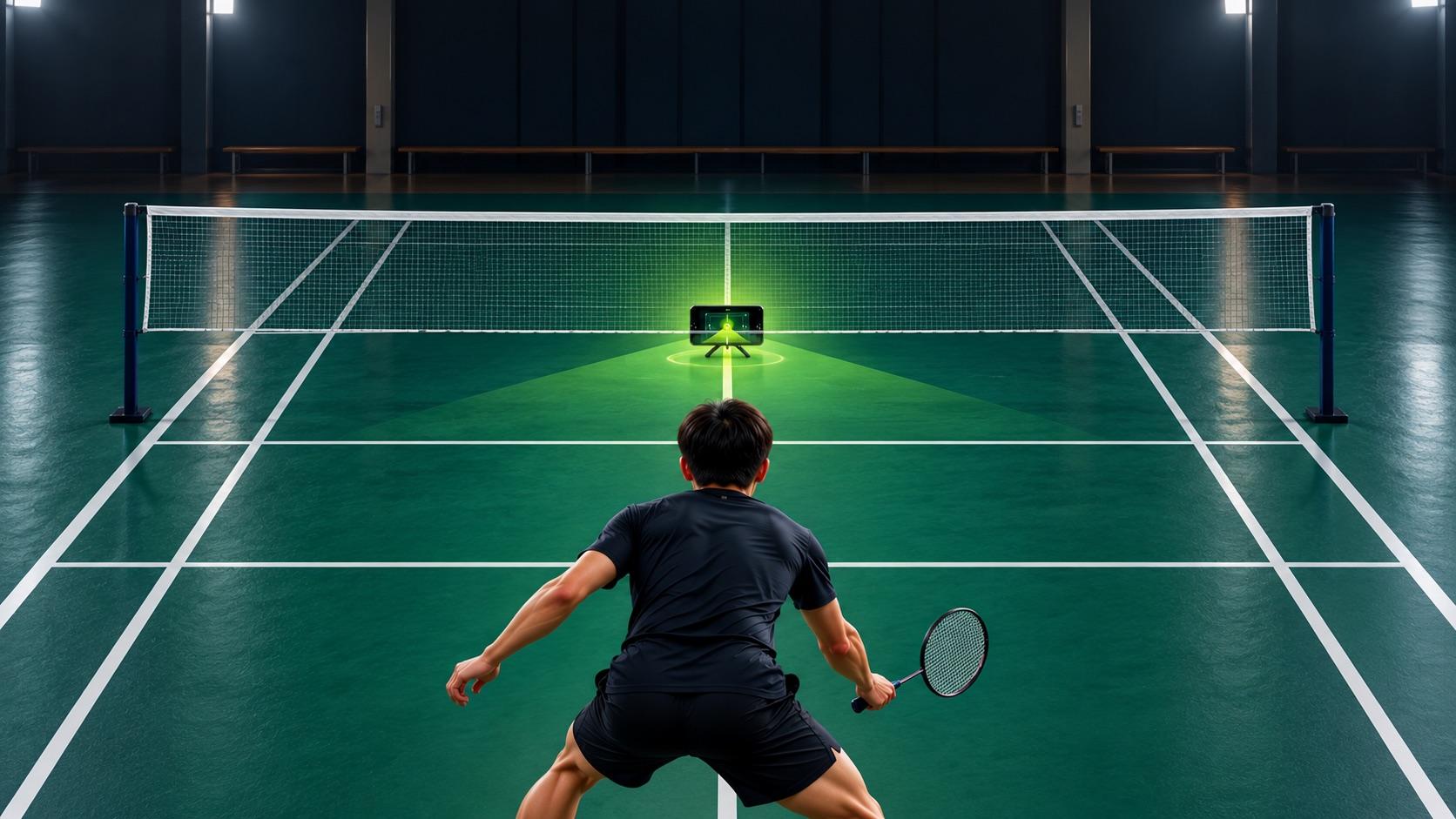
A shadow footwork trainer for badminton. Stand your iPhone under the net — a zone lights up, the cue fires, you run, play the shot and recover. The pace never settles, so you train decisions, not choreography.
Your first 3 sessions are free. No partner, no shuttles, no extra equipment.
Set. Run. Log.
The board is a map, like a car navigator: the top of the screen is the net, the left is your left. Run where the light is.
- Set
Phone under the net
Stand it on the floor at the net, screen facing you, and turn it sideways — that is the start. Five seconds to walk to base, then 3, 2, 1.
- Run
Where the light is
A zone lights up and the cue fires. Run there, play the shot, recover to base. Rallies of six to twelve cues, rest, and again until the clock runs out.
- Log
What it cost you
Rate the session from 1 to 10 while it is fresh, add a note, and it lands in your history. Over weeks you see what you actually did.
It catches you on the wrong foot. On purpose.
Reading the rhythm is the one thing this drill will not let you do. In a real rally your opponent does not wait for you to settle, so neither does the app. There is no countdown to the next cue — that would give the pace away.
It repeats the zone
Just as you start moving away from a corner, it sends you straight back.
It fires early
A shortened interval you cannot plan for — never two in a row.
It leans to the far zones
The deep corners come up more often, because that is where the work is.
Attack or defend
A zone can carry a colour. Lime means attack: take it early, move up and through. Orange means defend: get lower and work from underneath. Your eye reads the colour in the same glance that finds the zone.
A cue you can hear
Pick a beep, a voice that names the zone, vibration, or a flash on screen only. The beep is generated in the app and played as media, so you keep your eyes on the court, not on the phone.
A plan that moves with you
Answer a few questions and the app builds your plan: a stage, the zones to work, how long and how often. Four stages, from calm four-zone sessions to full-court pressure. Two finished sessions open the next one — you decide when to take it.
Train the zone you avoid
Focus on the rear court, the net or the sides. Four zones or six, rallies or nonstop, and the rest between them. Progress shows which zone you keep skipping.
A session with an end
Sessions run to the clock, not to a count, so a long drill never drifts. Too fast or too slow? Set your own speed once and every session follows it.
Try it in your living room
Not at the court yet? Run a 60-second taster at home first. Nothing is saved and nothing is counted against your free sessions.
Players who get to the shuttle a step late — and want to fix it between club nights, without a coach or a partner.
Club players who know the six corners but freeze when the next one is not where they expected.
Juniors & their parents who want structured footwork homework with a clear next step.
Coaches who want a court-side caller for one player while they work with another.
Anyone short on court time — a hall corner or a living room is enough to keep the pattern sharp.
Three sessions free. Then Footwork Pro.
Footwork Pro unlocks every session and every stage. Prices are in US dollars; the App Store shows the price for your country. Monthly and yearly plans renew automatically until cancelled; Lifetime is a single one-time purchase. Cancel anytime in your Apple Account settings. Full details are in the Terms & EULA.
What is shadow footwork in badminton?
Shadow footwork (coaches in the UK also call it ghosting) means moving to each corner of the court and playing the stroke without a shuttle, then recovering to base. It builds the movement patterns you need in a rally without needing a partner or a feeder.
What do I need to train with the app?
Your iPhone or iPad and half a badminton court — or 60 seconds of floor at home for a first try. No partner, no shuttles, no lights or extra equipment. Stand the phone on the floor under the net, screen facing you, and turn it sideways to start.
Is the sequence random?
Deliberately not. It is built to break your anticipation: it sometimes repeats the zone you just left, fires a cue early, and leans toward the far zones where the work is. Each trick has a built-in limit, so the drill stays hard without becoming impossible.
Is it free?
Your first 3 sessions are free. After that, Footwork Pro unlocks every session and every stage — monthly, yearly, or paid once.
Made by Norelabs. No account, no ads, no data resold.